Viewing entries in
cimplify

Data Security Assurance

Keeping charity CRM data secure: what recent events remind us

Recent cybersecurity incidents affecting technology providers used by UK charities have understandably prompted renewed discussion about how charities protect the information they hold.

They are also a useful reminder that security is never something a technology supplier can simply declare “finished”. Systems, threats and working practices change, and security arrangements need to evolve with them.

At Goodlabs, recent events have prompted us to look again both at the way Cimplify is structured and at some of the permissions we routinely provide to users.

Security starts with the way the system is built

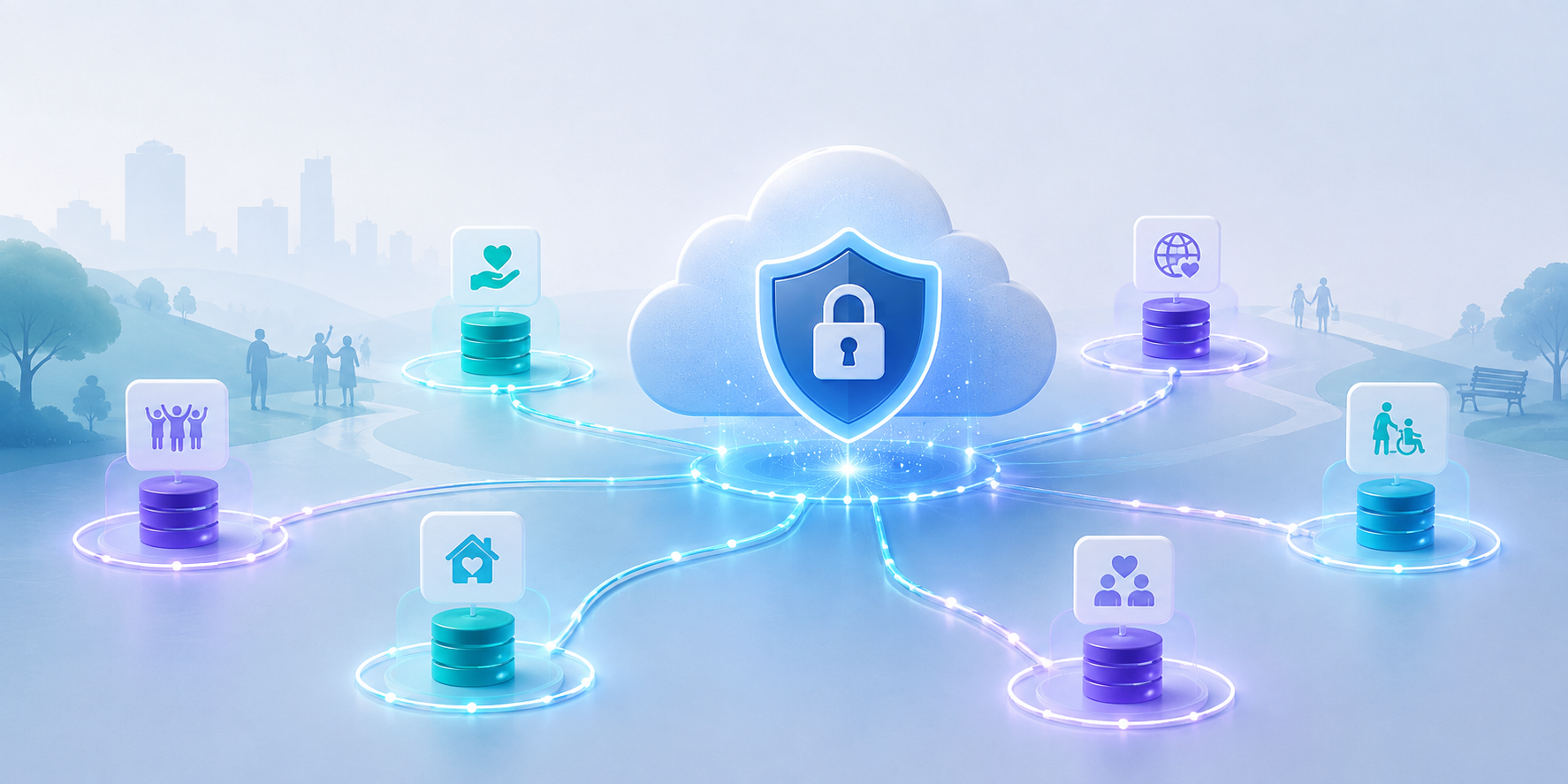
Cimplify is built entirely on the Salesforce platform.

Each Cimplify customer operates in its own separate Salesforce environment, with its own users, permissions and access controls. Goodlabs does not operate a central database containing information from all of its customers, and there is no single Goodlabs login or access key that provides access to every Cimplify system.

That separation matters.

A key principle of good security is limiting the potential impact of any individual account or system being compromised. Access to one customer's Salesforce environment does not automatically provide access to another customer's environment.

Goodlabs also does not routinely download or store copies of customer CRM databases on its own servers or devices. Cimplify data remains within the Salesforce platform.

Where Goodlabs needs administrative access for support or maintenance, access is established individually for the relevant customer environment and is protected using strong, phishing-resistant authentication, including biometric passkeys.

Salesforce provides the underlying infrastructure

Building Cimplify on Salesforce also means that Goodlabs does not need to build and maintain its own database hosting, backup infrastructure or cloud security environment.

Salesforce provides the underlying infrastructure on which Cimplify operates, including the controls used to protect customer environments, manage availability and secure data.

Goodlabs' role is different. We are responsible for the way Cimplify is designed and configured, the permissions we provide, and the way we access customer systems when support is required.

Customers have an important role too, particularly in deciding who should have access to their CRM and ensuring accounts and permissions remain appropriate when people's roles change.

Security is therefore a shared responsibility between the technology platform, Goodlabs and the organisations using Cimplify.

Strong authentication for the most powerful accounts

Earlier this year, Goodlabs introduced stronger authentication requirements for administrator accounts across Cimplify customers.

For some users this meant changing an existing multi-factor authentication method, and we appreciate that this caused a little inconvenience. We are grateful to customers for working with us to make that change.

Administrator accounts warrant additional protection because of the amount of information and functionality available to them. Protecting these privileged accounts with phishing-resistant authentication significantly reduces one important route through which an attacker might otherwise gain access to a system.

But authentication is only one part of the picture.

What happens after somebody logs in?

Security discussions often focus on keeping unauthorised people out. Just as important is considering what an authorised account is capable of doing once somebody is logged in.

That matters for several reasons. An account might be compromised by an attacker, a user might make a genuine mistake, or access could potentially be deliberately misused.

The principle of least privilege says that users should have the access and capabilities they need to do their jobs, but no more.

This is an area Goodlabs continues to review across Cimplify.

Limiting unnecessary data exports

One important area is report exporting.

Salesforce reports are extremely useful for helping users understand and analyse information held in Cimplify. Being able to view a report, however, does not necessarily mean that a user also needs the ability to download potentially large quantities of the underlying data into a spreadsheet.

For organisations holding sensitive information about beneficiaries, supporters, volunteers or staff, reducing unnecessary routes through which data can leave the CRM is a sensible precaution.

Goodlabs' approach is therefore to increasingly treat capabilities such as bulk data export as elevated permissions: useful and sometimes essential, but best provided to users who genuinely need them rather than simply being available by default.

Balancing security and usability

Security controls need to be proportionate.

Making a system so restrictive that people cannot do their jobs properly simply creates other problems, including the temptation to find insecure workarounds.

The objective is not to remove useful functionality. It is to move towards a model where potentially powerful permissions are provided because somebody needs them, rather than simply being available by default.

Security is an ongoing process

No CRM platform or technology provider can promise that a security incident will never occur.

A more meaningful approach is to continually ask how risks can be reduced, how access can be limited, and how the impact of an individual account or component being compromised can be contained.

For Cimplify, that includes separate Salesforce environments for each customer, strong authentication for privileged accounts, avoiding unnecessary copies of customer databases, and increasingly applying least-privilege principles to user permissions.

Recent events across the charity technology sector are a timely reminder to keep asking those questions.

Goodlabs will continue to review Cimplify's security arrangements as technology and risks evolve, while aiming to provide additional protection without compromising the practical day-to-day use of the system.
Integrating service-delivery and funder-reporting

Since Goodlabs became an official Salesforce Consulting Partner in 2025, demand for our CRM services has really taken off.

Interest in Cimplify, our Salesforce-based CRM solution for charities, has increased particularly quickly. More and more organisations are looking for a practical, affordable way to move away from scattered spreadsheets, outdated databases and disconnected systems — without taking on the cost or complexity of a fully bespoke CRM build.

Cimplify has been designed specifically for busy charities that need a system which works around real services, real teams and real people. A typical implementation now takes around 10–12 weeks, giving organisations a structured but manageable route into using Salesforce effectively.

Week in, week out, we are now managing multiple implementation projects at the same time. Recent projects have included work with an international women’s network in Brighton, addiction support and recovery charities in Cumbria and Reading, a project supporting women survivors of abuse to rebuild skills and confidence, a national mentoring charity, women’s health charities in Tyneside and the West Midlands, and several other charities with a wide range of service delivery models.

What these organisations often have in common is not a desire for complicated technology, but a need for better ways to manage relationships, referrals, activities, outcomes and reporting. They want a CRM that supports the way their staff actually work.

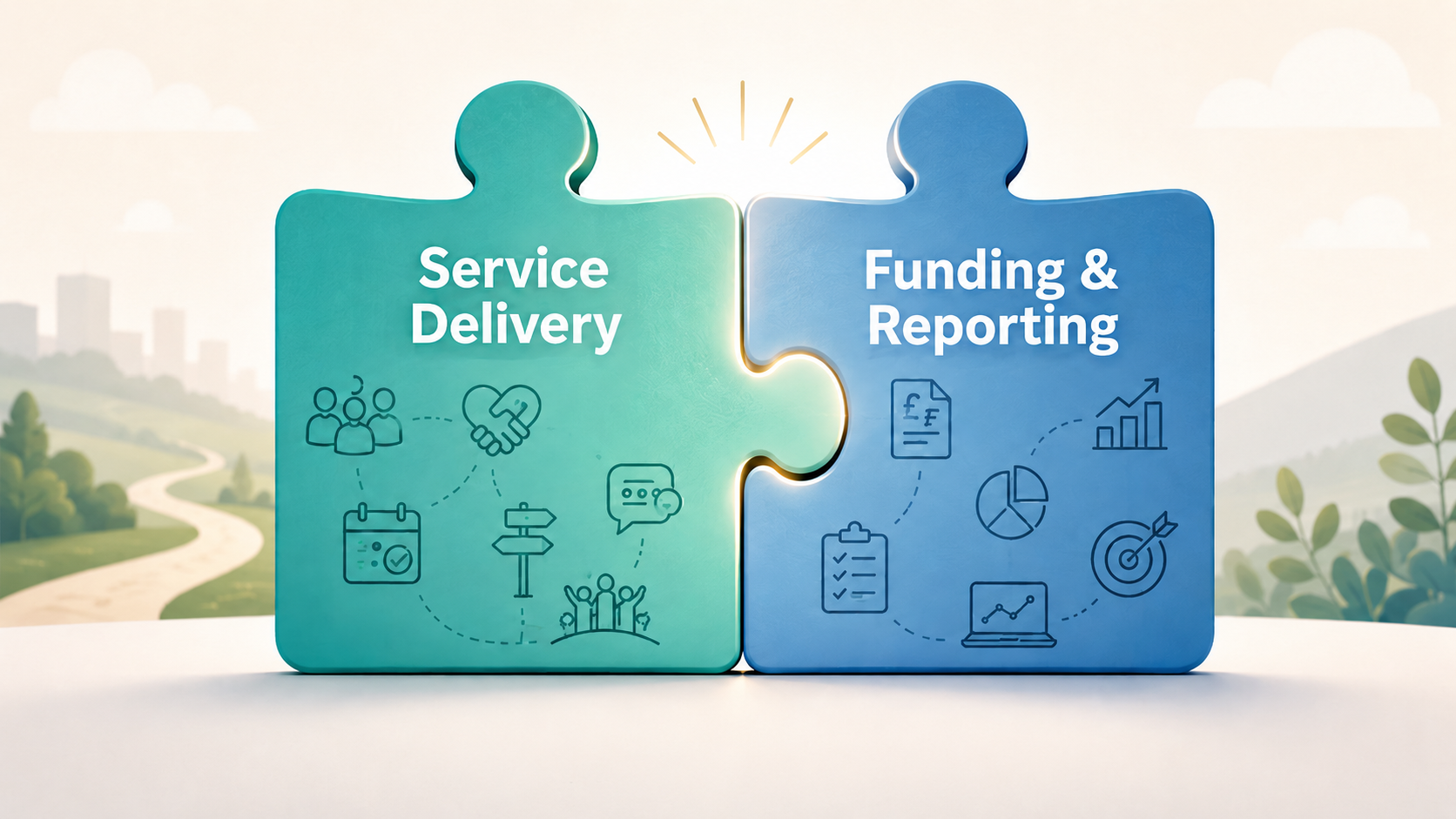
They also need systems that help them respond to the realities of charity funding. Many organisations are delivering multiple funded programmes at the same time, each with its own outputs, outcomes, monitoring requirements and reporting deadlines. When service delivery data and funding data sit in separate spreadsheets or disconnected systems, it becomes harder to show what has been delivered, who has benefited, and what difference the work has made.

This is one of the reasons Cimplify is proving so useful. Because it is designed to support the day-to-day delivery of services — including the ongoing interactions between service users, staff and partner professionals — it helps organisations keep track of what is actually happening on the ground. That makes impact easier to evidence and report. It also means that funding requirements and contract delivery commitments are simpler to manage, because Cimplify brings together service delivery, outcomes and funder reporting within the same system, rather than treating them as separate silos.

New customers tell us they value Goodlabs’ can-do attitude, our ability to speak human rather than blind people with tech-speak, and the flexibility of Cimplify itself. Because Cimplify provides a strong, charity-focused starting point, it reduces both build time and cost whilst still allowing each system to be adapted to the specific needs of the organisation.

For us, becoming a Salesforce Consulting Partner has strengthened the work we were already doing: helping charities make better use of technology without losing sight of their mission, their people, their funders, or the communities they serve.

Smoother log in security for Cimplify

Logging in securely is very important, but it should not feel like a hassle every time you need to access your CRM.

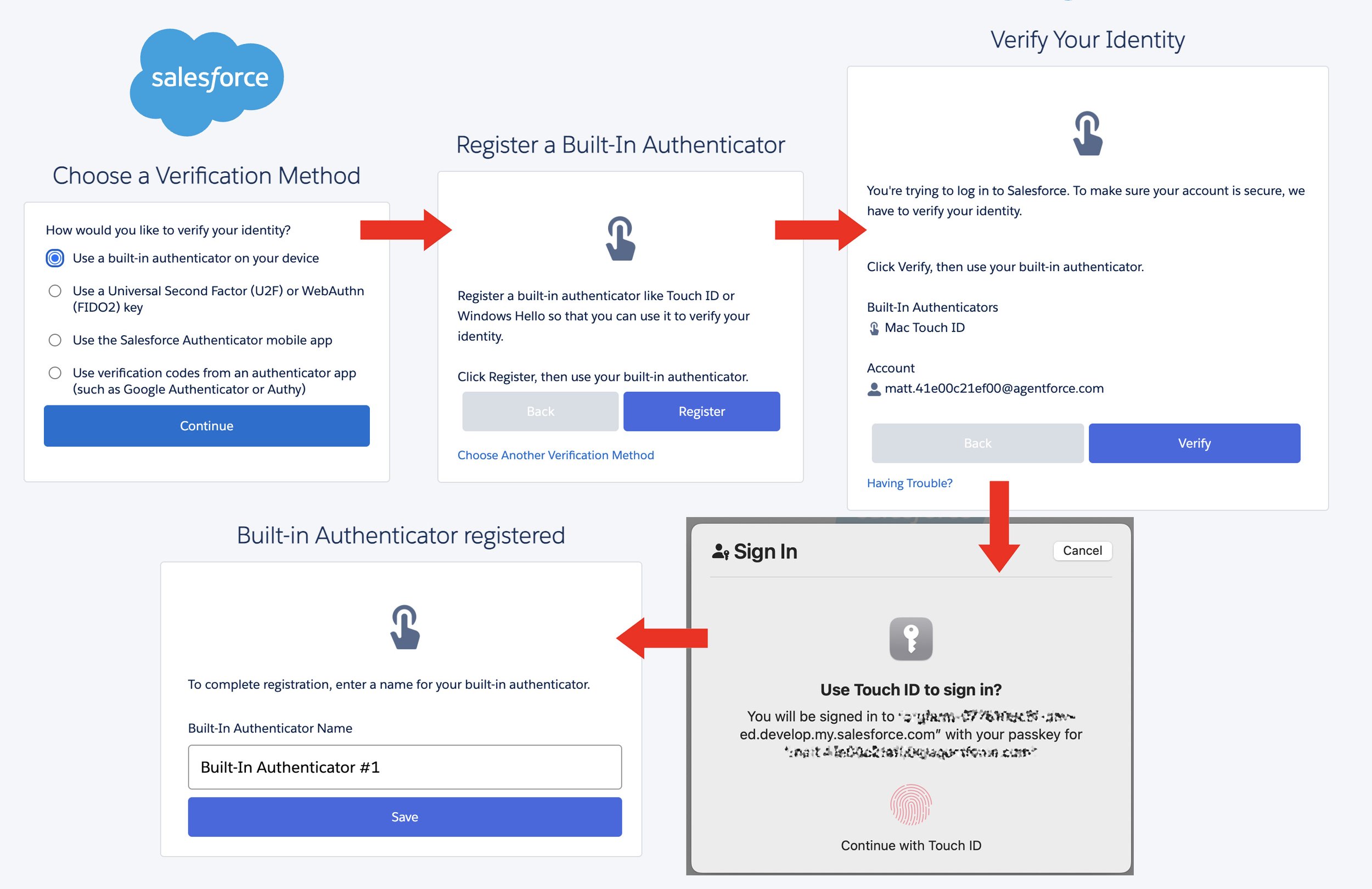
For Cimplify users, we have updated our login guidance to reflect a useful new option: it is now possible to use a built-in identity authenticator from your own device as part of Salesforce multi-factor authentication. In practical terms, this means that some users can now use familiar tools such as Apple Touch ID or Windows Hello, rather than relying on the Salesforce Authenticator app on a smartphone.

You can read the full step-by-step guide here: How to log in to Cimplify and set up MFA

Set up steps for the built-in authentication method

This is good news for many Cimplify users, particularly those who already use a work laptop with fingerprint, face recognition or device PIN security built in. For these users, the login experience can feel much smoother, because the extra security check happens directly on the device they are already using.

Multi-factor authentication is still doing the same important job: helping to protect your account if your password is ever guessed, stolen or exposed. The difference is simply that the second step can now be handled by your laptop or desktop device, rather than always needing a separate phone app.

The Salesforce Authenticator app remains a good option, and it is still the main method we can support in detail. However, we recognise that not every user wants to use a personal smartphone for work systems, and some organisations prefer to keep the login process centred on work-issued laptops. Where Apple Touch ID or Windows Hello is already available, this built-in option may be a better fit.

We have updated our Cimplify login and MFA guidance to include this new route. You can read the full step-by-step guide here:

How to log in to Cimplify and set up MFA

As always, the best option may depend on your organisation’s devices, policies and user preferences. But for many Cimplify users, this should make secure login feel a little simpler, quicker and more natural.

Supporting Those Who Served

We were delighted to support Veterans Outreach Support in Portsmouth as they recently went live with their new Cimplify CRM, built on the Salesforce platform.

The introduction came through our relationship with the Lloyds Bank Foundation, who support hundreds of community charities across the UK to become more effective and sustainable. Cimplify is one of only a small handful of CRM solutions that LBF are sufficiently confident in to fund directly on behalf of the charities they work with — something we’re incredibly proud of, and which speaks to both the robustness of our solution and its suitability for busy, mission-led organisations.

Starting from a Position of Trust and Understanding

We already had a good level of insight into the veterans sector, having worked with several veterans’ organisations previously. That experience meant we were able to get up to speed quickly, understand the context in which Veterans Outreach Support operate, and avoid some of the early discovery friction that can slow projects down.

This was particularly important as the project ran to a relatively short timeline. Fortunately, Veterans Outreach Support themselves had a very clear sense of what they wanted from the system and how it needed to work in practice. There was also something about the military mindset that meant the project management clicked into place almost immediately — roles were clear, decisions were made efficiently, and momentum was maintained throughout.

From start to finish, it was a highly focused and efficient implementation.

Key Requirements and Challenges

As with most real-world CRM projects, this wasn’t a simple “out-of-the-box” setup. Some of the key requirements we worked through together included:

  • A bespoke user security model, ensuring that system users could only access the data and records appropriate to their role and responsibilities within the organisation. This was critical given the sensitivity of much of the information being recorded.

  • Online registration and referral processes, delivered using Salesforce Experience Cloud functionality, allowing data to be captured securely and efficiently without adding administrative burden.

  • A comprehensive data migration, bringing together information from earlier recording and reporting systems into a single, coherent platform — doing away with paper records and multiple spreadsheets in the process.

Throughout, the focus was on building something practical, usable, and sustainable — a system that staff would actually want to use day-to-day, not just something that looked good on paper.

Looking Beyond Go-Live

What really stood out for us was the charity’s clear commitment to improving outcomes for their service users, and their openness to using better data to support that mission. The ability to quickly extract meaningful management information is already proving to be a major time saver, and the team can see the difference the system will make as it becomes embedded across the organisation.

The glowing feedback we received from VOS means a great deal to us:

“The support we received from Goodlabs has been first rate, giving us confidence and helping us refine our plans… We would not hesitate to recommend Goodlabs and Cimplify to any charity looking to improve the way they manage their beneficiaries and activities.”

Behind the People Who Make a Difference

We’re thrilled to be working with charities like Veterans Outreach Support — organisations that are deeply committed to the people they serve and serious about improving lives. Being trusted to support that work, quietly and competently behind the scenes, is what motivates us.

We love being the people behind the people who make a difference!