Logging in securely is very important, but it should not feel like a hassle every time you need to access your CRM.
For Cimplify users, we have updated our login guidance to reflect a useful new option: it is now possible to use a built-in identity authenticator from your own device as part of Salesforce multi-factor authentication. In practical terms, this means that some users can now use familiar tools such as Apple Touch ID or Windows Hello, rather than relying on the Salesforce Authenticator app on a smartphone.
You can read the full step-by-step guide here: How to log in to Cimplify and set up MFA
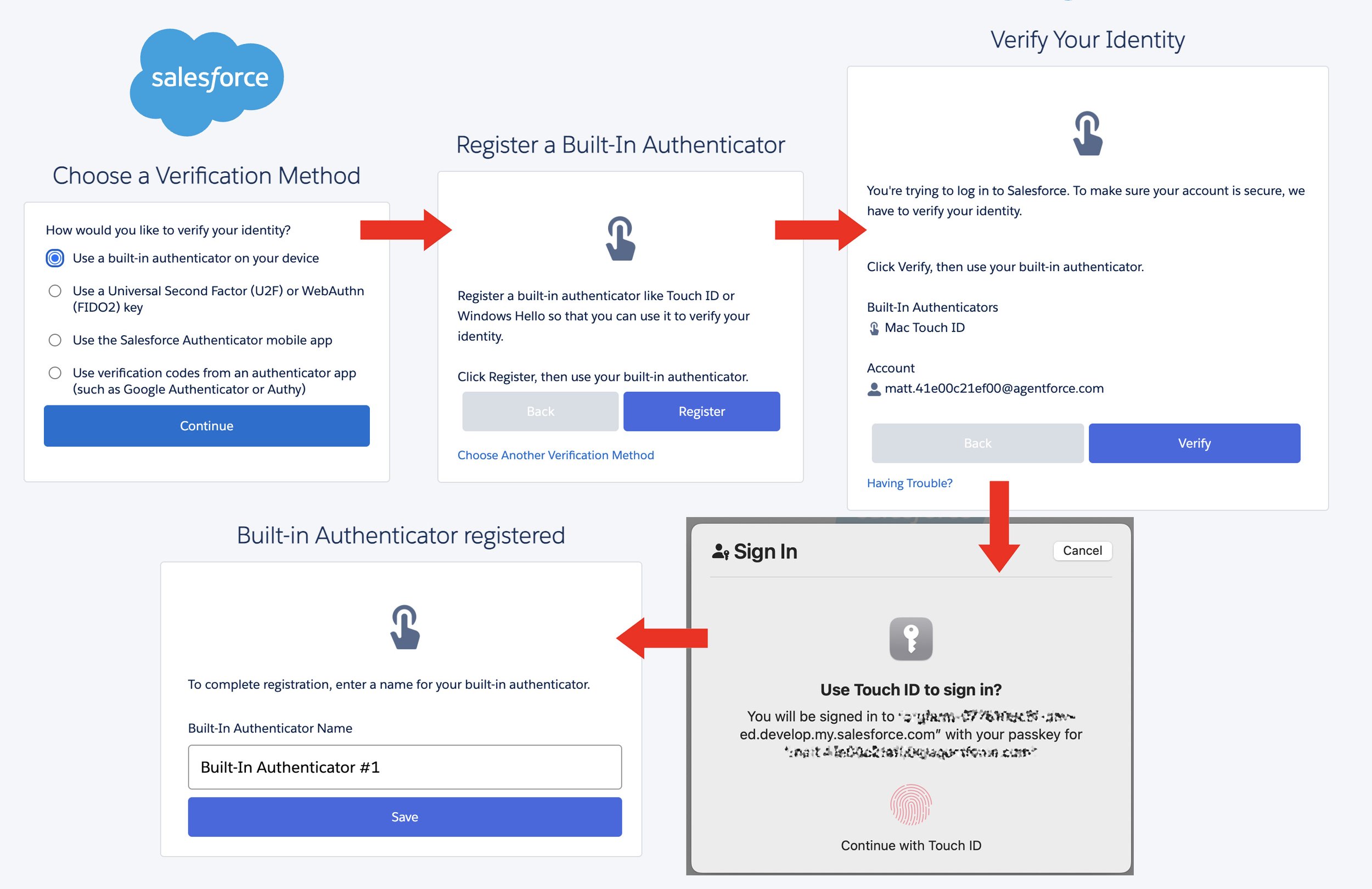
Set up steps for the built-in authentication method
This is good news for many Cimplify users, particularly those who already use a work laptop with fingerprint, face recognition or device PIN security built in. For these users, the login experience can feel much smoother, because the extra security check happens directly on the device they are already using.
Multi-factor authentication is still doing the same important job: helping to protect your account if your password is ever guessed, stolen or exposed. The difference is simply that the second step can now be handled by your laptop or desktop device, rather than always needing a separate phone app.
The Salesforce Authenticator app remains a good option, and it is still the main method we can support in detail. However, we recognise that not every user wants to use a personal smartphone for work systems, and some organisations prefer to keep the login process centred on work-issued laptops. Where Apple Touch ID or Windows Hello is already available, this built-in option may be a better fit.
We have updated our Cimplify login and MFA guidance to include this new route. You can read the full step-by-step guide here:
How to log in to Cimplify and set up MFA
As always, the best option may depend on your organisation’s devices, policies and user preferences. But for many Cimplify users, this should make secure login feel a little simpler, quicker and more natural.